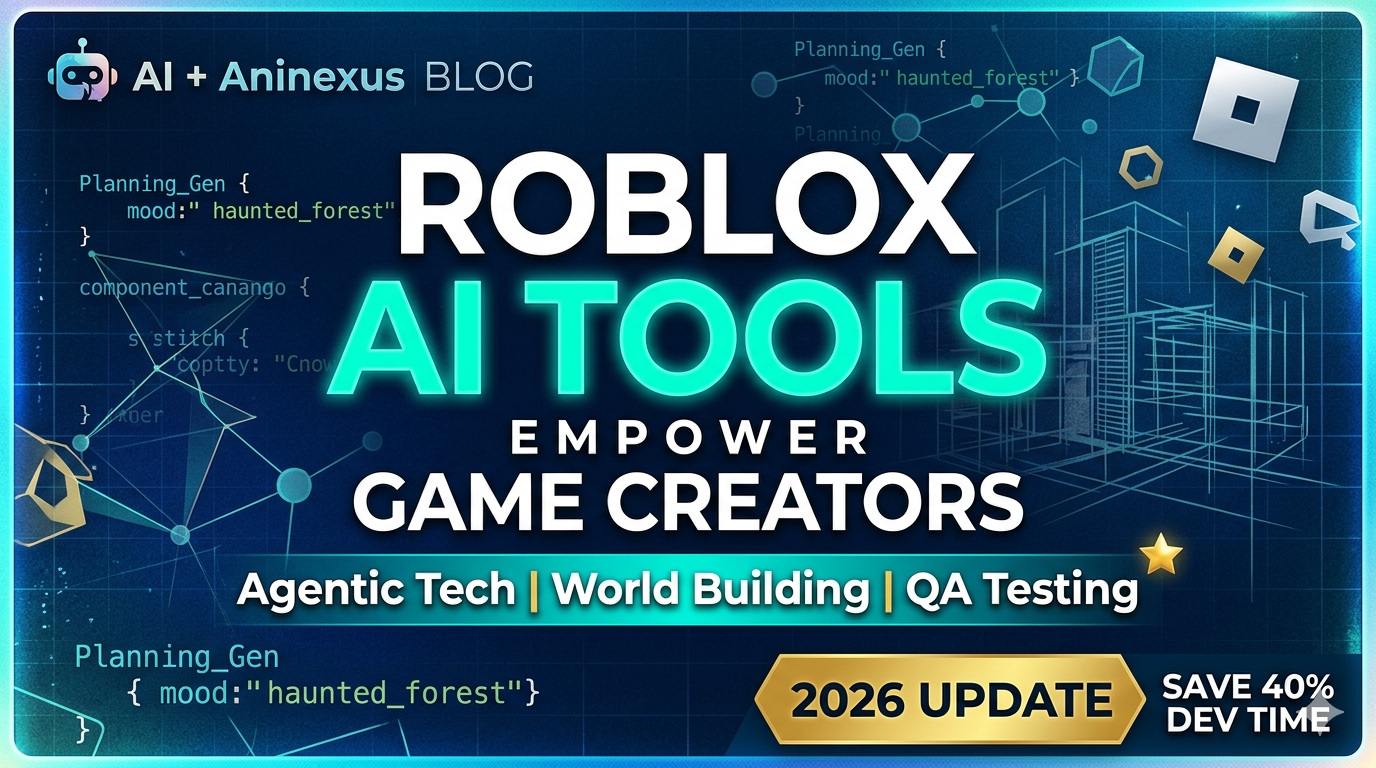
Roblox AI Tools: Make Your Game Dreams a Reality
Ever felt stuck halfway through a level, wishing you had an instant design assistant? Roblox’s latest AI assistant is here to turn that wish into reality. By harnessing agentic tools—meaning the AI can actually plan, build, and test game creators can focus on creativity instead of repetitive tasks. This post dives into what’s new, how it feels in practice, and how you can adopt these tools today.
Table of Contents
Why Roblox AI Tools Are a Game Changer
The Roblox platform has always been a playground for makers, but its growth relied heavily on community knowledge and manual scripting. Today, the new AI assistant introduces three pillars of support:
- Planning Generation: Script prompts now produce full design documents.
- World Building: Automated terrain sculpting and asset placement.
- Testing Automation: Continuous integration bots that run unit tests and playthroughs.
These features shift the traditional bottleneck from “what should I put?” to “how can I get it done faster?” That’s why industry leaders herald this update as a leap forward in democratizing game development.
Planning Made Simple: The AI Assistant’s Design Blueprint
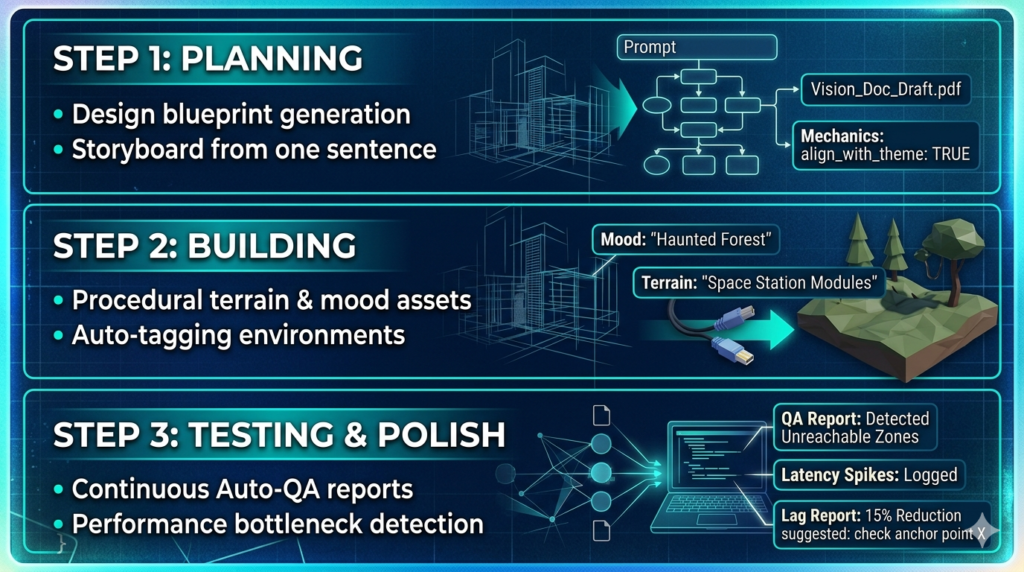
Planning remains the hardest part of creation—deciding objectives, pacing, and progression. The new AI assistant can:
- Generate a full storyboard from a single paragraph.
- Translate player flow charts into editable design sheets.
- Suggest mechanics that align with your theme.
Actionable Insight: Start each project with a one‑sentence vision. Let the assistant turn it into a 5‑slide pitch deck, then export a design doc that your team can iterate on. The result is a shared understanding that reduces friction later.
Build Worlds Faster with AI-Driven Design
With architectural skeletons in place, the assistant offers terrain generation based on mood keywords:
- “Haunted forest” → procedurally creates misty trees, hidden clearings, and ambient soundscape.
- “Space station” → constructs modular modules, zero‑gravity zones, and a network of cables.
These AI‑generated assets can be swapped with custom models on the fly. Moreover, the assistant can auto‑tag environments for easy search and recombination across projects.
Actionable Insight: Use the “Auto‑Theme” feature in the Studio to generate a test level. Then refine only the parts that matter to your narrative—saving hours of manual labor.
Testing and Polish: Automating QA with Agentic Bots
Beta testing is notoriously expensive. Roblox’s assistant runs scripts that:
- Detect unreachable zones or lethal traps.
- Simulate thousands of player sessions to gather performance metrics.
- Provide a log of bottlenecks, from latency spikes to script exceptions.
By feeding this data back into the assistant, developers can get concrete suggestions—like “increase anchor point on platform X to reduce lag.”
Actionable Insight: Enable the “Auto-QA” mode during the final build phase. The assistant will generate a QA Report that you can hand over to your testers, speeding up review cycles.
Practical Ways to Adopt These Tools Today
Don’t leave the AI to wait on the sidelines. Here’s a step‑by‑step roadmap to integrate the new assistant:
- Set Up Your Workspace: Update Roblox Studio to the latest version; the AI plugin will auto‑install.
- Feed Minimal Input: Provide a simple idea—e.g., “A pirate ship adventure.” The AI will surface a design doc.
- Iterate on AI Drafts: Use the “Refine” button to tweak depth, pacing, or difficulty.
- Swap Assets: Replace generic models with your own to maintain brand identity.
- Run QA: Turn on “Continuous Testing” and let the assistant flag issues before launch.
- Publish & Learn: After launch, feed player data back into the assistant for post‑publication optimization.
Remember, the AI is a partner, not a replacement. The best results come from blending human vision with machine speed.
Conclusion: Bring AI Into Your Creative Process
Roblox AI Tools (Roblox’s new AI assistant)isn’t just a marketing buzzword; it’s a tangible toolkit that can reduce development time by up to 40% for seasoned creators and up to 70% for beginners. By integrating planning, building, and testing into a single, intelligent workflow, you free yourself to focus on the craft that sparks players’ imaginations.
Ready to Level Up? Sign up for the beta, experiment with the assistant, and share your results with the Roblox community. Your next game could be the one that sets a new standard for design speed and quality.
What are agentic AI tools in Roblox?
Agentic AI tools are advanced assistants in Roblox Studio that can plan, execute, and test game designs autonomously based on user prompts.
Can beginners use Roblox AI tools?
Yes, these tools can reduce development time by up to 70% for beginners by automating complex world-building and scripting tasks.
Do I need to update Roblox Studio to use the AI assistant?
Yes, the AI features are integrated into the latest versions of Roblox Studio as an automated plugin.