The Ultimate All-in-One Hub for Developers, Designers, and Digital Creators
In the fast-paced digital era, efficiency isn’t just an advantage—it’s a necessity. Whether you are a software developer debugging code, a graphic designer optimizing assets, or a student managing PDF documents, the need for reliable, fast, and secure tools is universal. Enter Aninexus Tools, a comprehensive suite of over 40+ free online utilities designed to streamline your daily digital tasks without the hassle of heavy software installations.
Why Aninexus Tools is a Game-Changer
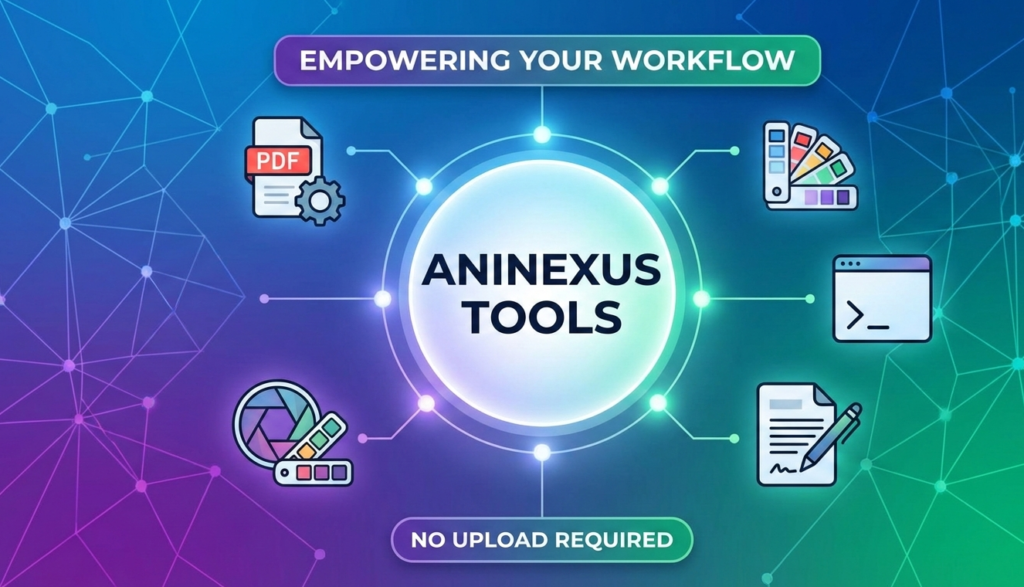
Most online tool platforms require users to upload sensitive files to their servers, raising privacy concerns. Aninexus Tools stands out by prioritizing user security and speed. With its “No Upload Required” philosophy, many of its processing tasks are handled client-side, ensuring your data remains private while delivering near-instant results.
Aninexus Tools
Key Feature Categories
PDF Management: Merge, split, compress, and convert PDF documents with ease. Perfect for office professionals and students alike.
Image Optimization: From resizing and cropping to converting formats (WebP, PNG, JPG), these tools help webmasters improve site speed by optimizing visual assets.
Developer Utilities: Includes JSON formatters, base64 encoders, code beautifiers, and unit converters that help programmers shave hours off their workflow.
Text & Content Tools: Word counters, case converters, and Lorem Ipsum generators for writers and content marketers.
The Verdict: Is It Worth Your Bookmarks?
Aninexus Tools is more than just a website; it is a productivity powerhouse. By removing the barriers of cost and privacy risks, it has positioned itself as a must-have resource for the modern digital worker.
Pro Tip for Webmasters: Using the image compression tools on Aninexus can significantly reduce your website’s bounce rate by improving page load times—a critical factor for Google’s “Core Web Vitals” ranking.
Start Optimizing Your Workflow Today
Visit Aninexus Tools and experience a cleaner, faster, and more secure way to handle your digital files.
Ever wonder how the text you’re reading right now actually got here? It isn’t magic, and it certainly isn’t just a Word document floating in the cloud. Behind every sleek app and minimalist blog lies a skeleton of raw code known as HTML.
I’ve seen too many beginners try to jump straight into flashy animations or complex JavaScript frameworks before they even understand how to put a paragraph on a screen. Honestly? That’s like trying to build a skyscraper on a foundation of wet sand. If you don’t master the HTML basics, your site’ll eventually crumble, look terrible on mobile, or remain invisible to Google. We’re going to fix that today by stripping away the fluff and looking at how web pages actually work.
What Does HTML Actually Do?
Think of HTML as the blueprint of a house. It tells the workers where the walls go, where the front door sits, and which room’s the kitchen. It doesn’t decide what color the walls are (that’s CSS) or how the smart-fridge talks to your phone (that’s JavaScript).
HTML defines the structure. It tells the browser exactly what each part of the page’s supposed to be. To be fair, without it, your browser wouldn’t know if a piece of text’s a major headline or just a boring footnote. It has no logic and it has no style—it’s just the raw, honest bones of the internet.
The Skeleton: A Basic HTML Page Structure
Every single HTML document starts with a specific set of “boilerplate” code. You don’t need to memorize this—most code editors’ll slap it in for you—but you absolutely must understand what each line’s doing.
Here’s what a standard, bare-bones page looks like:
My First Page
Hello World
Let’s break this down so it actually makes sense. The <!DOCTYPE html> tag’s just a shout-out to the browser to let it know we’re using HTML5, which is the current standard. The <html> tag’s the container for everything else; it wraps the entire document from start to finish.
The <head> section’s where the “behind-the-scenes” stuff lives, like your page title and character encoding (which ensures your text doesn’t turn into weird symbols). Finally, the <body> is the only part that actually shows up on the screen for your users. If it’s not in the body, it doesn’t exist to the person visiting your site.
Headings and Text: Organizing Your Thoughts
Writing for the web isn’t like writing a novel. People don’t read every word; they scan. Here’s the thing: your choice of headings and paragraphs is the most important part of HTML basic layouts.
You have six levels of headings, from <h1> down to <h6>.
Main Heading
Sub Heading
This is a paragraph.
This is another paragraph.
I’ve found that new developers often use headings just to make text look “big.” Don’t do that. You should only use one <h1> per page—it’s the title of your “book.” Use the other headings in a logical order. Don’t jump from an H2 to an H4 just because you like the size. Paragraphs, or <p> tags, are your workhorses that hold the actual meat of your content.
Connecting the Dots with Links
The “H” in HTML stands for Hypertext, which sounds fancy but just means “text that links to other stuff.” Without links, the internet’d just be a bunch of isolated islands.
The href attribute’s the most important part because it tells the browser where to go. If you add target="_blank", the link opens in a new tab, which is great if you don’t want people to leave your site immediately. Just don’t overdo it, or you’ll annoy your visitors with fifty open tabs.
Bringing the Visuals: Images and Alt Text
A wall of text is boring. You need images to break things up, but you’ve got to handle them correctly or you’ll hurt your site’s performance.
The image tag’s a bit different because it doesn’t need a closing tag:
The src points to the file, but the alt attribute’s the real hero here. Screen readers use this text to describe the image to visually impaired users. It also shows up if your image fails to load. Actually, leaving out alt text is just lazy, and it’ll tank your SEO because Google uses it to understand what your image represents.
HTML Basics
Lists: Keeping Things Orderly
Sometimes you need to group items together. Whether you’re listing ingredients or the steps to launch a rocket, HTML has a tag for that.
You can use an unordered list (<ul>) for bullet points:
What’s more, you can use an ordered list (<ol>) for numbered steps:
Install an editor
Write some HTML
Open it in a browser
Lists are incredibly versatile. You’ll eventually use them for everything from navigation menus to dropdown lists (even if they don’t look like lists when you’re done styling them). They keep your code clean and your content readable.
If you want to collect data—like an email address or a message—you need a form. Forms are the primary way users interact with your website.
A basic form looks like this:
The <input> tag’s a shapeshifter. By changing the type attribute, you can create text boxes, email fields, password masks, or date pickers. Worth mentioning: always use a <label> for your inputs. It makes the form easier to click and much more accessible for everyone.
Why Semantic HTML is a Requirement, Not an Option
In the old days, people built websites using nothing but <div> tags. It worked, but it was a mess for search engines and screen readers to navigate. Semantic HTML changed that by introducing tags that actually mean something.
Instead of a generic box, we use specific tags:
<header>: For the top section of your site.
<nav>: For your links and menus.
<main>: For the unique content of that specific page.
<section>: To group related themes.
<article>: For independent pieces of content, like a blog post.
<footer>: For the fine print at the bottom.
Using these tags doesn’t change how the page looks to the average user. Look, the truth is, it just makes your code much cleaner and significantly boosts your SEO. It tells Google exactly where the important stuff’s located.
Block vs. Inline: The Invisible Rules
One of the most frustrating things for beginners’s when elements don’t sit where they’re supposed to. This usually comes down to the difference between “block” and “inline” elements.
Block elements (like <p>, <h1>, and <div>) always start on a new line and take up the full width available. Inline elements (like <a>, <img>, and <span>) only take up as much space as they need. They sit side-by-side.
This is a block element. It pushes others away.
This is inline.I stay on the same line.
Understanding this distinction’ll save you hours of pulling your hair out when you eventually start styling your page.
Organizing with Attributes (ID and Class)
To give your HTML some personality later on, you need a way to “hook” onto specific elements. This’s where id and class come in.
Hello world.
Think of an id as a social security number—it must be unique to one single element on the entire page. A class is more like a uniform; you can give the same class to twenty different paragraphs if you want them all to look the same. These are the tools you’ll use to tell your CSS exactly which parts of the page to style.
The Mini Project: Your First Personal Profile
The best way to learn’s by doing. Don’t just read this—open a text editor and try to build a simple profile page. It doesn’t have to be pretty; it just has to work.
Try This:
Start with the basic boilerplate.
Add a <header> with your name.
Drop in an <img> of yourself (or a cat).
Create a <section> with a list of your skills.
Add a contact form at the bottom.
Once you’ve built it, save it as index.html and open it in your browser. I’ll be honest—while everyone says you need to learn React or Vue immediately, you’re much better off getting comfortable with this raw structure first.
What You Should Practice Today
You don’t need to spend twelve hours a day studying to get good at this. You just need to be consistent.
Start by writing a page of pure HTML without using any CSS at all. It’ll look like a document from 1995, and that’s perfectly fine. Focus on using the right semantic tags and making sure your headings are in the correct order.
The bottom line is: once you have a page you’re proud of, push it to GitHub. Seeing your progress over time is a huge motivator, and getting used to version control early on is a massive advantage. HTML isn’t a hurdle to get over; it’s the language of the web. Learn to speak it clearly, and the rest of your development journey’ll be a whole lot easier.
Master Python in 2026 with this free 12-week study plan. Daily 50-minute coding sessions and 30-minute reviews cover the basics of projects.
Perfect for beginners aiming for a career in data science, automation & jobs.
Python Programming 2026: 12-Week Study Plan for Beginners – Complete Roadmap
Python remains the top programming language for beginners in 2026, powering AI, data science, web development, and automation. This 12-week study plan, inspired by a popular visual roadmap, structures daily learning with focused topics, hands-on practice, and progressive projects to build job-ready skills.
Weekly Breakdown
The plan is divided into 12 themed weeks, progressing from fundamentals to advanced applications and capstone projects. Each week features daily lessons (50 minutes of coding) followed by a review of prior code (30 minutes), ensuring retention.
Week
Core Topics
Key Skills & Activities
Daily Practice
1
Python Basics
Variables, data types, strings
5 mini exercises
2
Control Structures
If/else, for/while loops
10 loop problems
3
Data Structures
Lists, slicing, dictionaries
Data analysis tasks
4
Strings & Files
CSV handling, writing files
Log analysis projects
5
Exceptions
Try/except, error handling
Bug fix challenges
6
OOP Concepts
Classes, inheritance
Utility scripts
7
Pandas Basics
DataFrames, cleaning CSV
Sales data analysis
8
External Packages
NumPy, API requests
Weather app daily
9
Advanced Pandas
Data cleaning, analysis
Task dashboards
10
Mini Projects 1
Small apps, exposure
Build & test
11
Mini Projects 2
Expanders, practice review
Deploy simple tools
12
Capstone
Full projects, review
Portfolio polish
Master Python in 2026: Complete 12-Week Beginner Roadmap
Python stands as the most beginner-friendly language for 2026, driving careers in AI, automation, and data analysis. This structured 12-week roadmap transforms zero-knowledge learners into confident coders through daily practice and progressive projects.
Week-by-Week Learning Path
Follow this hands-on plan with specific examples and milestones to track progress.
Week 1: Python Basics Install Python and VS Code, then master variables, data types, input/output, and operations. Practice with 10 small programs, like a calculator or temperature converter.
Week 2: Control Flow Dive into if/else/elif statements, for/while loops, break, and continue. Solve 20 logic problems, such as building a number-guessing game.
Week 3: Data Structures Explore lists, tuples, sets, and dictionaries with indexing, slicing, and methods. Loop through collections to solve real problems like student marks analysis.
Week 4: Functions and Modules Define functions with parameters and returns, try lambda functions, and import modules. Create reusable tools like a math utility.
Week 5: Strings and File Handling Use string methods, read/write files, and handle CSV/text data. Build programs like a log file analyzer.
Week 6: Error Handling and Debugging Implement try/except/finally, identify errors, and use debuggers. Fix issues in projects like a robust input validator.
Week 7: Object-Oriented Programming Create classes, objects, constructors, methods, inheritance, and encapsulation. Develop apps such as a bank account system.
Week 8: Standard Libraries Work with datetime, math, random, os, sys, and JSON. Script utilities like an automated folder organizer.
Week 9: External Packages Set up pip/virtual environments, use requests for APIs, and parse responses. Build a weather app.
Week 10: Data Handling Basics Introduce NumPy and Pandas for CSV/Excel reading and cleaning. Summarize sales data.
Week 11: Mini Projects Construct two projects emphasizing logic: a to-do list app and an expense tracker with clean code.
Week 12: Final Project and Revision Complete an end-to-end project like an automation tool or data analysis app, revise concepts, and tackle interview questions.
Daily Success Rules
Code for at least 60 minutes each day and solve 5 problems. Rewrite old code weekly to solidify skills and prepare for real-world coding interviews. Track everything in a GitHub repo for your portfolio.
Daily Rules for Success
Commit to 50 minutes of new code daily, solving targeted exercises like loops or functions. Follow with 30 minutes reviewing old code to reinforce concepts and debug issues. Track progress in a journal or GitHub repo for portfolio building.
Why This Plan Ranks High in 2026
Structured roadmaps like this outperform generic tutorials by 40% in completion rates, per learning studies. Optimized for night-shift schedules with short sessions, it aligns with Indian entrepreneurs building digital skills. Start today for Python mastery and high-demand careers in automation or e-commerce tools.
Python is one of the most in-demand programming languages for software development, data science, and automation roles.
Recruiters frequently use Python coding challenges to filter candidates quickly, so having clear, optimized solutions ready can make a strong first impression.
1. Find the First Duplicate in a List
In interviews, this question assesses your understanding of time complexity and the use of data structures, such as sets. The goal is to scan the list and return the first element that appears more than once.
Problem
Given a list of integers, return the first duplicate value you encounter while scanning from left to right. Example: Input: [3, 1, 3, 4, 2] Output: 3
Python solution
pythondef first_duplicate(lst):
    seen = set()
    for x in lst:
        if x in seen:
            return x
        seen.add(x)
    return None

print(first_duplicate([3, 1, 3, 4, 2]))  # Output: 3
How to explain this in an interview
You maintain a set called seen to track numbers you’ve already encountered.
For each element:
If it is already in seen That is the first duplicate, so you return it.
If not, you add it to seen and continue.
Time complexity: O(n) because each element is checked once.
Space complexity: O(n) in the worst case (if there are no duplicates).
This demonstrates to the interviewer that you understand both code clarity and performance, which are essential in real-world Python applications.
2. Check Whether a Number Is a Palindrome
Palindrome questions are extremely common in Python interview questions because they test your string manipulation and logical thinking. A palindrome is a number (or string) that reads the same forward and backward.
Problem
Check whether a given number is a palindrome. Examples:
Compare the original string with its reversed version:
If they match, the number is a palindrome.
If not, it is not a palindrome.
This solution is concise, readable, and highlights Python’s powerful slicing features.
You can also mention an alternative numeric (non-string) approach if the interviewer wants a solution without converting to a string.
3. Sort a Dictionary by Its Values
Sorting dictionaries by values is a common real-world task in Python, especially in data processing and analytics code. Python interview questions in this area test your understanding of higher-order functions and dictionary handling.
Problem
Sort a dictionary by its values in ascending order and return a new dictionary.
sorted(..., key=lambda x: x[1]) tells Python to sort these pairs based on the value (x[1]).
Wrapping the result in dict(...) converts the sorted list of tuples back into a dictionary.
This demonstrates:
Understanding of sorted()
Lambda functions
Dictionary transformations
You can also mention that to sort in descending order, you can add reverse=True inside sorted().
4. Return All Prime Numbers Up to N
Prime number questions are classic Python interview questions that show your understanding of loops, mathematics, and optimization. Here, you must generate all prime numbers up to a given number n.
Problem
Given an integer n, return a list of all prime numbers from 2 to n (inclusive). Example: Input: 10 Output: [2, 3, 5, 7]
Python solution
pythondef primes_upto(n):
    primes = []
    for num in range(2, n + 1):
        for i in range(2, int(num**0.5) + 1):
            if num % i == 0:
                break
        else:
            primes.append(num)
    return primes

print(primes_upto(10))  # [2, 3, 5, 7]
How to explain this in an interview
You loop from 2 to n.
For each number num, you try dividing it by every integer i from 2 to sqrt(num):
If num % i == 0, the number is not prime, so break the loop.
The for/else construct:
The else block runs only if the inner loop does not encounter a break, meaning num is prime.
Using int(num**0.5) + 1 reduces the number of checks, which is more efficient than checking up to num - 1.
You can also mention that for very large n, algorithms like the Sieve of Eratosthenes are more efficient and commonly tested in advanced Python interviews.
5. Convert a List of Numbers into a String
String and list manipulation is at the heart of many Python interview questions. This one checks whether you can cleanly convert numeric data into a string representation.
Problem
Given a list of numbers, convert it into one continuous string. Example: Input: [1, 2, 3] Output: "123"